Licensees order online against live stock, pay by card, and the Doc 60 writes itself.
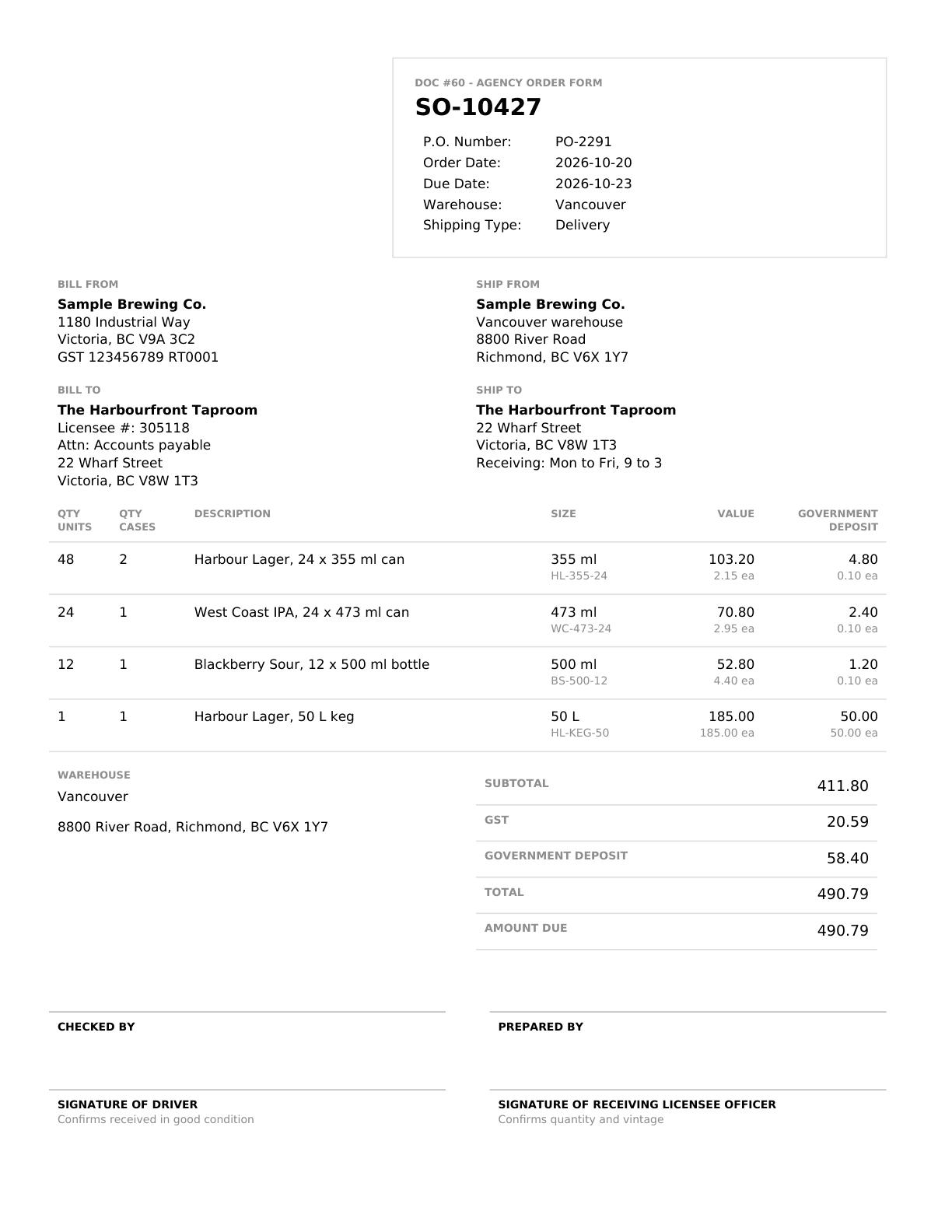
A beer and wine distributor in BC sends its orders through a CartonCloud warehouse. We built a public order page under the distributor's own name where a licensee sees live stock, builds the order, pays by card, and the warehouse order and its Doc 60 are created only once the payment is confirmed.
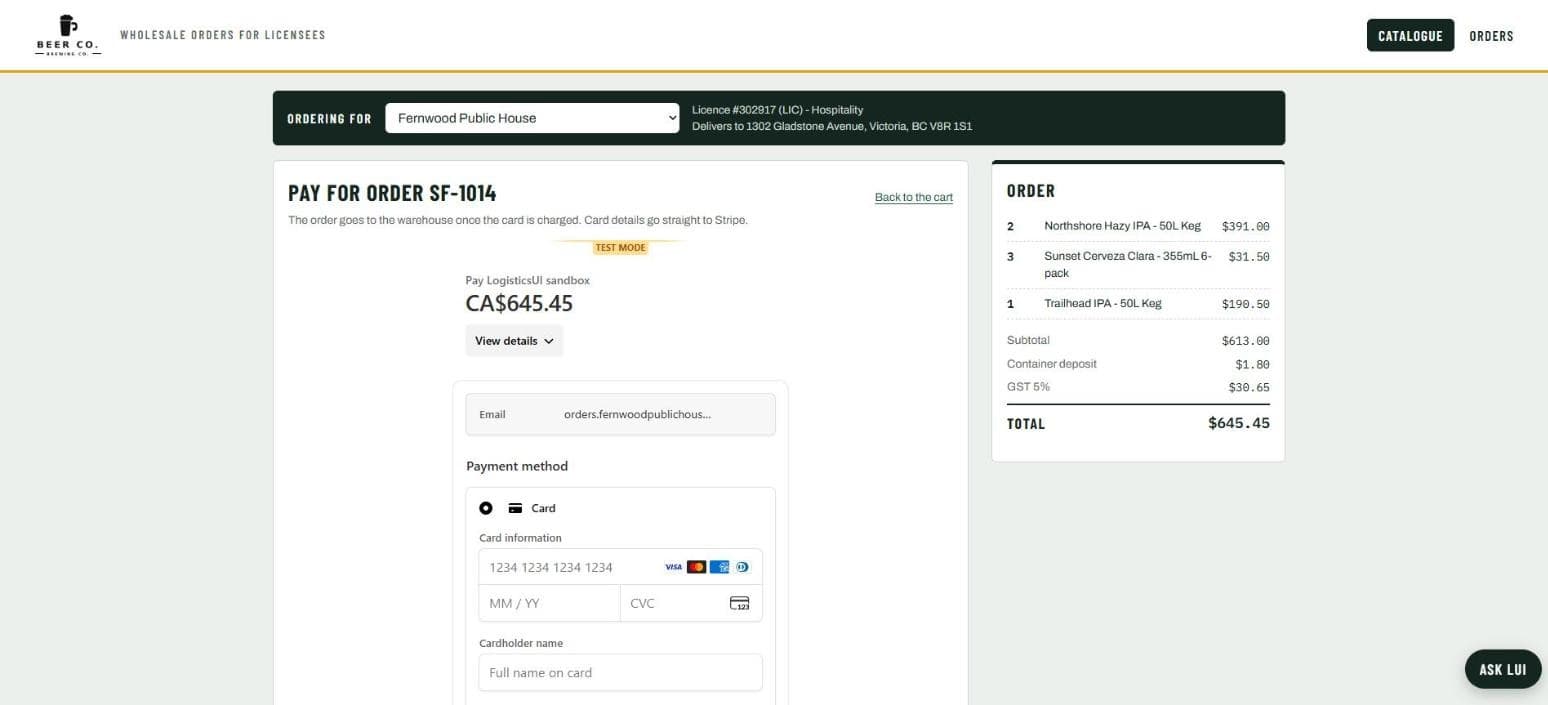
The order is typed once, by the licensee who places it. Nothing reaches the warehouse until the card payment is confirmed, and the Doc 60 comes off the paid order.
- Customer
- A beer and wine distributor, BC
- What was built
- A public order page: live stock, card payment, order status, the Doc 60
- Runs on
- CartonCloud, card payment, the Doc 60 template
- Built in
- Weeks, on their real products and stock
- Systems

The problem: orders by email and phone, stock checked by hand, the Doc 60 after
A licensee emails or phones an order. Somebody checks the stock, types the order into the warehouse system, chases the payment, and fills in the Doc 60, the BC form every liquor shipment needs, from the order by hand. Every step was a place to type the wrong thing, and the licensee had no way to see what was in stock or where their order was.
What we built: a store under their name that only creates the order once it is paid
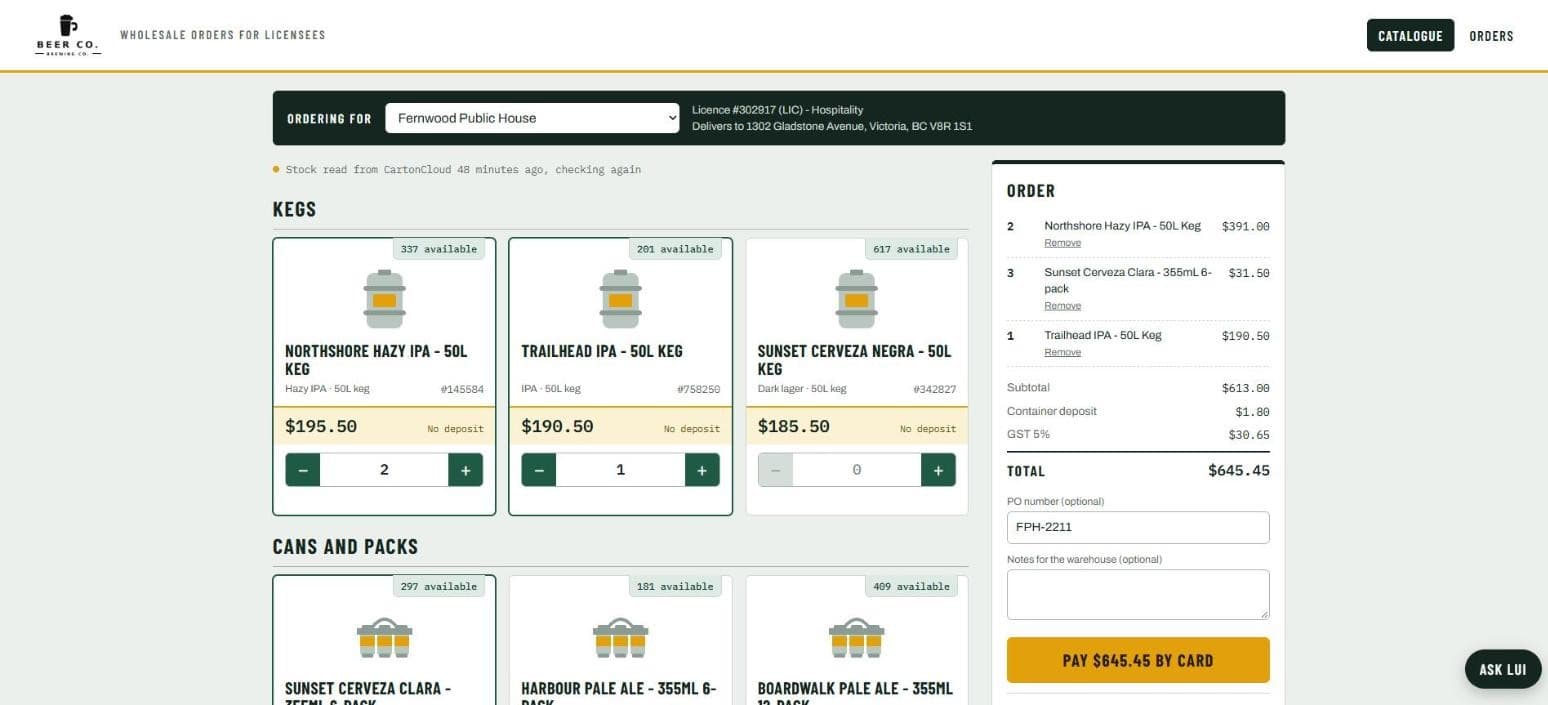
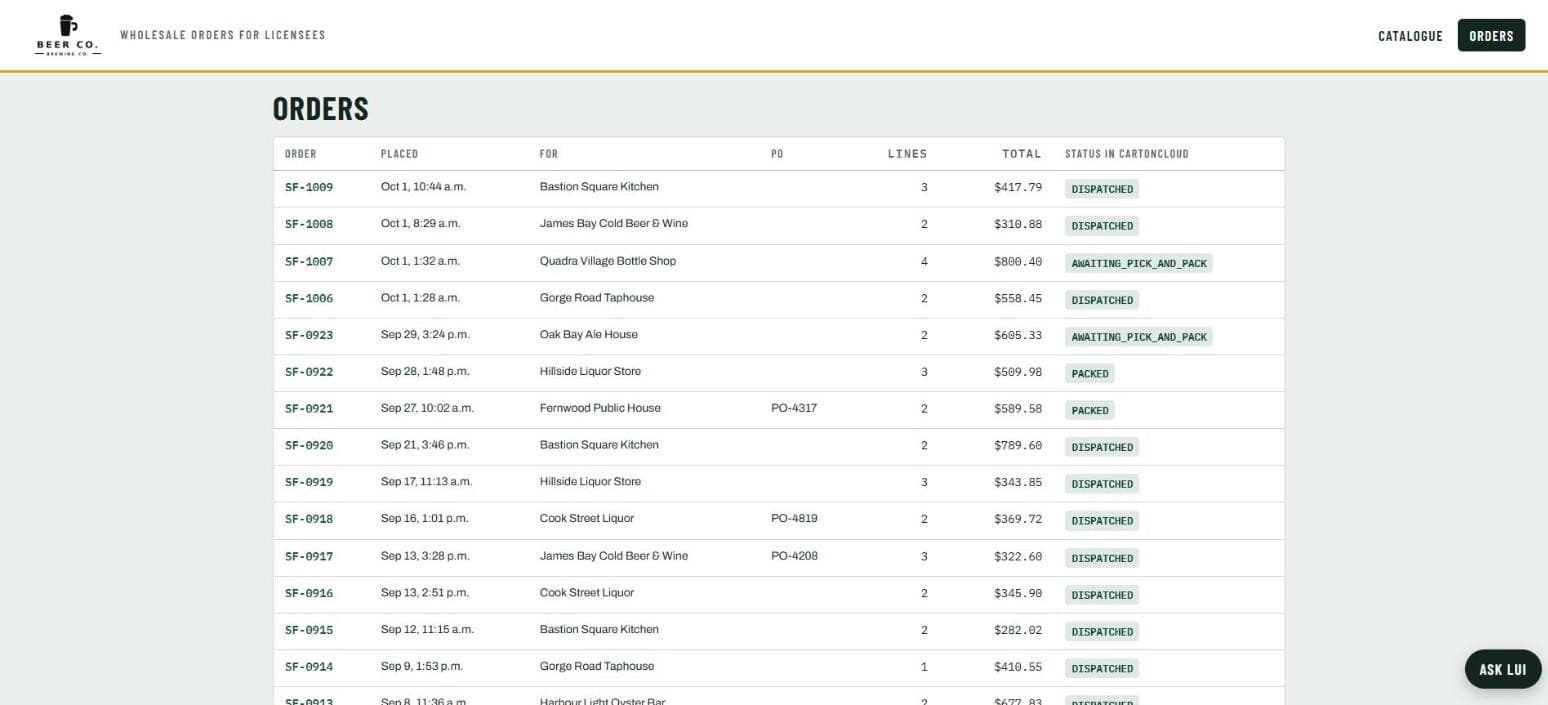
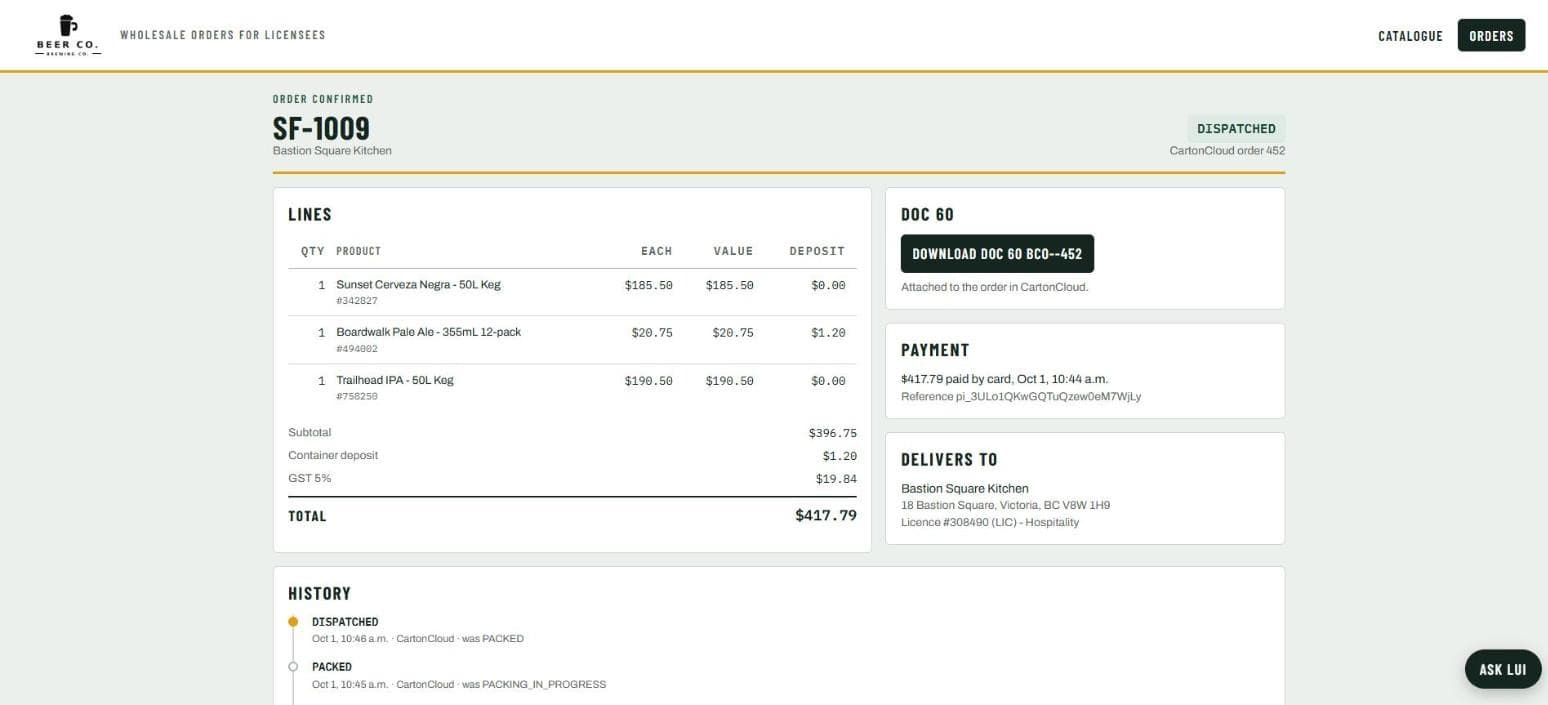
A public page under the distributor's own name. The licensee picks their licensed address, sees the warehouse's live stock, builds the order (or uploads a CSV), and pays by card. Only after the payment is confirmed does the order go into the warehouse system, once, with its Doc 60 rendered from the order and attached. The order's status is shown back in the warehouse system's own words.
Want one like this on your own systems?
What changed: one order, typed once, by the person who placed it
The licensee types the order, not the distributor. Stock is live, so an order for something that is not there cannot be placed. The payment comes first, so there is no chasing. The warehouse order is created once, from the paid order, and the Doc 60 comes off it. The status the licensee sees is the warehouse system's, not a guess.
This build has no before-and-after number on this page because the customer is not named, and a number without an owner is not one we print. Its status line is the claim.
Built for a beer and wine distributor in BC, against their warehouse system; the first store under their name. Shown here on the demo store, Beer Co., with invented licensees.
The same build for your customers
If your customers order by email or phone and you type it in, the shape is the same: a page under your name, your warehouse's live stock, the payment first, the order created once, and whatever document your shipments need made from it. It runs inside your LogisticsUI account on the warehouse system you have already connected.
Questions about this build
Does the stock on the page come from my warehouse system?
Yes, live. The page reads what the warehouse system reports for each product when the licensee opens it.
When is the warehouse order created?
Only after the card payment is confirmed. The order is created once, with the Doc 60 attached, and nothing is created for an order that was not paid.
Can my customers upload an order instead of clicking?
Yes. A CSV with SKU and quantity fills the cart; the page shows a sample file.
Is this the Doc 60 page?
The Doc 60 page makes the form from an order you give Lui. This store makes the order and the Doc 60 together, from the customer's side.