Doc 60, produced from the order. Every time.
BC liquor shipments need a Doc 60. Production and inventory live in Ollie, the orders go to one or more warehouses, and the document gets filled in by hand from the order and the price list. Upload the export and all three happen in one pass.
Ollie export · multiple warehouses · no integration built
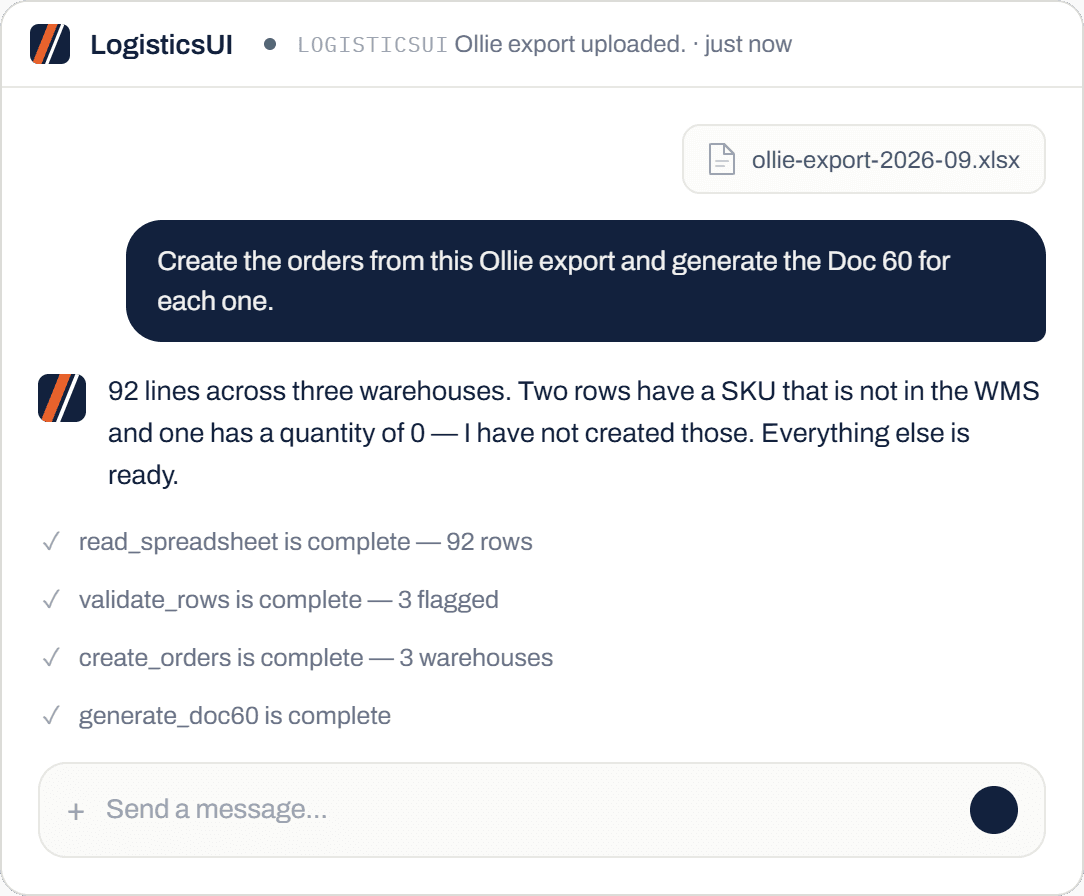
A single Ollie file becomes orders at every site it covers, in one upload, with no integration built between the two systems.
The client corrupted their own sheet on purpose to test it. It flagged the broken rows rather than creating wrong orders.
Built from the order and the pricing already on the sheet, so the numbers on the form are the numbers on the order.
The document is the slowest part of the shipment
Production and inventory are tracked in Ollie. Orders go out to one or more warehouses. Then the Doc 60 has to be filled in from the order and the price list, by hand, for every shipment.
Check the current LDB Wholesale policies and resources for when a Doc 60 is required and what it must show. The requirements are theirs, not ours, and this page does not restate them.
What we can say is where the time goes. None of it is in deciding what to put on the form. It is in copying numbers that already exist in two other places, and in finding the mistake later when they do not match.
- Export from OllieThe production system holds the truth, but it does not talk to the warehouse.
- Split by warehouseOne sheet, several sites. Getting a line onto the wrong order is easy and expensive.
- Create the ordersLine by line, matching product codes that do not always match the warehouse's.
- Fill in the Doc 60From the order and the price list, per shipment, by hand.
Upload, check, produce
Three steps, one pass, and it stops rather than guessing when something is wrong.
Ollie export to orders
Upload the Excel export. It reads the rows, works out which warehouse each line belongs to, and creates the orders across all of them in one go.
A typical export runs to ninety or a hundred lines covering several sites and a dozen products. It groups them the way you would group them by hand, and tells you the split before it creates anything, so you can stop it if a site looks wrong.
No integration was built between Ollie and the WMS. The export is the interface.
That matters because Ollie is where your production data belongs and nobody wants a second copy of it. You keep working the way you work, and the warehouse gets what it needs from the file you were already producing. Order entry →
It catches bad data
The client deliberately corrupted the sheet to see what would happen. Missing SKUs, a zero quantity, a product that does not exist. It flagged each one and said why.
The important part is what it did with the rest. The good rows still went through. You get the orders you can have plus a short list of what needs a decision, instead of an error message and a file you have to start again.
Nothing wrong went into the warehouse. That is the behaviour you want from something creating orders on your behalf.
The Doc 60 itself
Generated from the order and the pricing on the sheet. Quantities, sizes, values and deposits come from the same data the order was built from, so the form and the shipment agree.
That is the whole reason to produce it here rather than in a separate template. When the order changes, the document changes with it. Nobody is checking one against the other at the end of the day.
It can be emailed on with the order rather than printed and carried around.
Questions we get asked
Do I need an Ollie integration?
No. You upload the export. Nothing is built between the two systems and nothing changes inside Ollie.
Does it work with other production systems?
Yes, if they can export a spreadsheet. The format does not need to match anything. It reads the columns and asks if something is ambiguous.
Can it email the Doc 60 to the warehouse or driver?
Yes. Producing it and sending it can be one instruction, or a standing workflow if it happens on a schedule. Alerts & workflows →
Does it handle deposits and keg lines?
It carries through what is on the sheet, including government deposit lines and container sizes. If a line is missing a value it flags it rather than filling in a zero.
What if a product is not in the WMS?
It tells you which ones and offers to create them. It will not create an order against a product it had to invent.
Send us one Ollie export
Bring a real export and we will create the orders and produce the Doc 60 live on the call. Break the sheet first if you want to see what it catches.