Invoicing, reminders and reorders, done for you
Wholesale invoicing automation, for brands selling pre-orders on Shopify. After a launch there are hundreds of orders to invoice. Then the reminders. Then the cancellations that free the stock back up. Then the supplier order. At one Shopify brand that was one or two people for two weeks, every cycle. Now it takes about ten minutes.
Shopify · ShipStation · Hiveage · Google Sheets
Invoicing after a pre-order launch used to take one or two people the better part of two weeks. It is now a click and a look over the results.
When the last reminder goes unanswered it cancels the invoice and the Shopify order, so the stock goes back on sale instead of sitting held.
The owner ran a full reorder from her phone. No spreadsheet, no laptop, no waiting until she was back at a desk.
The work after the sale is the work nobody planned for
A pre-order closes and the real job starts. Hundreds of orders to invoice one at a time. Reminders to chase. Orders to cancel when the money never comes, so the stock is not stuck. Then working out what to order from the factory.
Most brands run this on a spreadsheet and a person. Apps exist but they are narrow. One brand tried several and one of them lost money by mangling orders on the way through.
The other thing spreadsheets hide is where you are in the cycle. Which invoices went out, which were chased, which were cancelled and why. That lives in one person's head, and it goes on holiday with them.
- Invoicing the launchHundreds of orders, entered by hand, while more keep arriving.
- Chasing the unpaid onesReminders sent manually, tracked in someone's head or a second spreadsheet.
- Freeing held stockCancel in the invoicing tool, then find and cancel the matching Shopify order.
- Working out the reorderTwo or three hours of colours and sizes into a sheet, then back into Shopify.
Four jobs, off your desk
Each one started as a question in the chat and became something that runs on its own.
Invoicing
Incoming orders get invoiced at a click. The whole thing was handed to the order-management person, and the owner stopped tracking it at all.
Volume is the reason this used to hurt. A launch does not produce ten invoices, it produces several hundred, and they all arrive in the same two days while the rest of the business carries on.
The invoicing that used to justify a dedicated hire now takes about ten minutes, so that person is free for work that actually needs them.
Overdue invoices
A standing alert watches the invoices. When the reminders are exhausted it flags the invoice, cancels it in Hiveage and cancels the matching Shopify order so the stock is released.
Held stock is the hidden cost. An unpaid invoice keeps units reserved against an order that is never going to ship, so the product shows as unavailable while it sits there. Cancelling both sides puts it back on sale the same day.
Everything it did shows on the board, so you can see what was cancelled and why without going looking. Alerts & workflows →
Supplier purchase orders
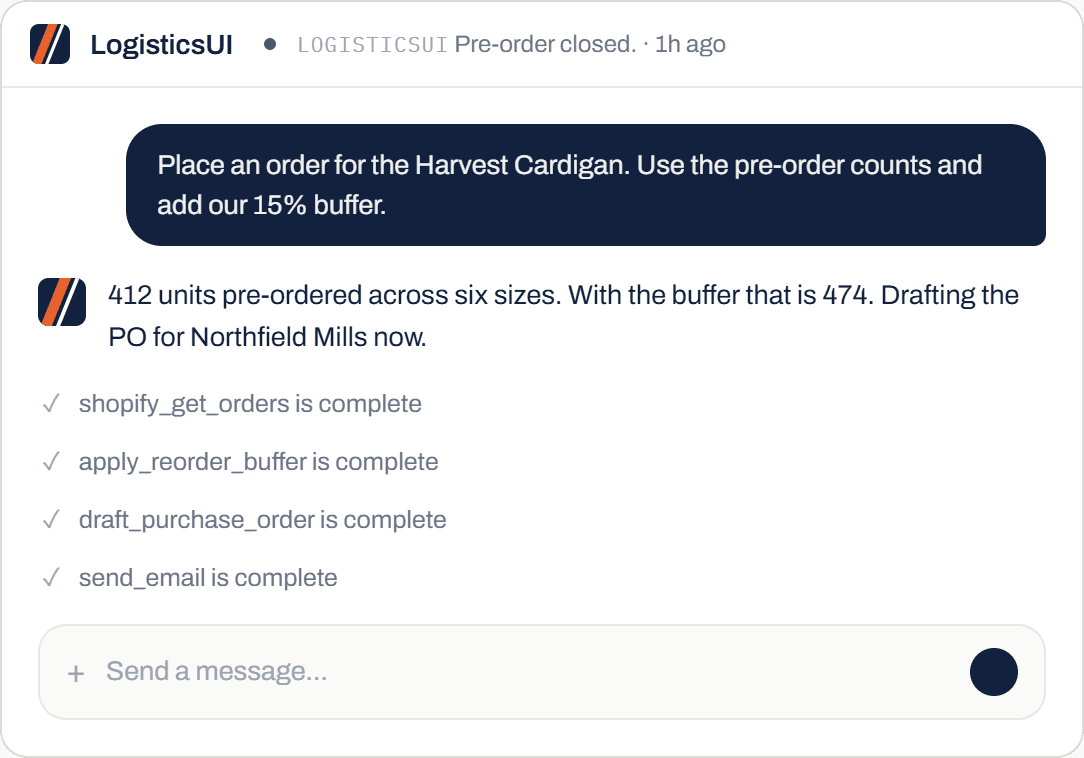
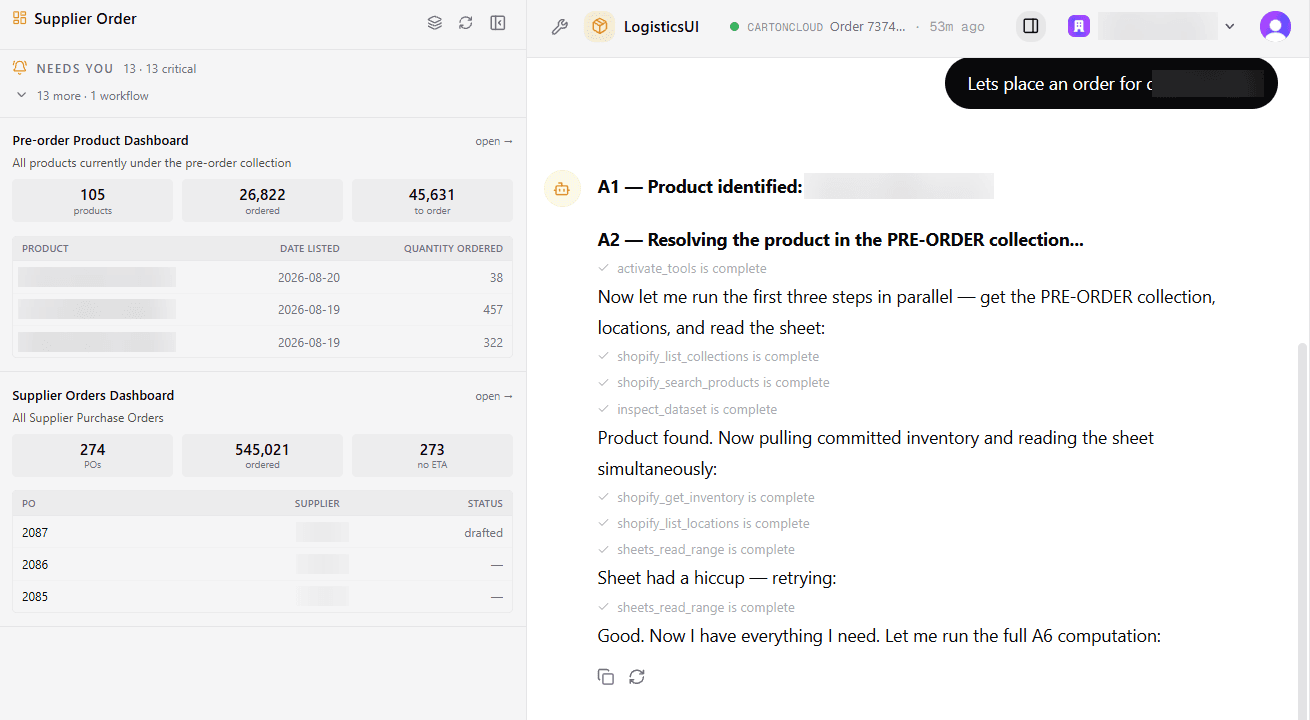
Say "place an order for [product]". It pulls the pre-order quantities, applies your reorder buffer, drafts the purchase order and emails the factory.
It closes the pre-order at the same time, so the counts it used are the final ones.
Reordering from past sales
Ask what sold well last week, what to reorder and at what rate. It answers from your Shopify history: sizes, colours, and the winners you are not reordering.
The past is where the money is. Most brands have the data and no way to ask it a question. Reporting →
It's helped me 1000%. I would never want to go backward.
Blakeley Designs, wholesale brand
Questions we get asked
Which invoicing tools does it work with?
Hiveage is live today and is what our wholesale brands use. Anything with an API can be connected, and that is part of setup.
Does it send the reminders itself?
Yes. It sends them on the schedule you set, then tells you when a customer has stopped responding and the invoice needs cancelling. Or cancels it for you if that is the rule you gave it.
Can it handle split shipments?
Partly. It tracks what shipped against what was ordered and can tell you what is outstanding. Deeper split-shipment handling is in progress, not shipped.
Do I need a 3PL that uses LogisticsUI?
No. It connects to your Shopify, your invoicing tool and your shipping tool directly. If your 3PL happens to run it too, more of the chain is visible in one place. For CartonCloud →
What does it cost?
It starts at $249 a month and moves up with how much you run. Standing workflows like the overdue-invoice alert usually put a brand on the next tier up. See pricing →
Bring your last launch
Show us the orders from your last pre-order close and the spreadsheet you used. We will run the invoicing and the reorder live on the call.