Order entry for customers who aren't integrated
Packing slips. Emailed PDFs. Spreadsheets. They become orders in your WMS and nobody retypes them. 3PL order entry automation with no integration to build and nothing for your customer to change. One 3PL turned a morning of typing into about ten minutes.
PDF · Excel · CSV · packing slip · forwarded email
39 orders rejected overnight, some with 40 lines each. Opening each one and retyping it is a whole morning gone.
A single spreadsheet export becomes orders across several sites at once. Nobody splits it by hand.
One client broke their own sheet on purpose to test it. It flagged the errors instead of creating wrong orders.
The small brands cost you the most time
A brand comes on board. They don't know their own SKUs. They've never heard of a barcode file. They're not going to pay for an integration. So the orders arrive the way they always have. A packing slip, a PDF in an email, an Excel export from whatever they run.
Someone opens two windows and retypes every line. Thirty-line orders. Sometimes several warehouses. Every copy-paste is a chance to put the wrong count against the wrong SKU, and you find out at dispatch.
It gets worse as you grow. Every new small account brings another format, another set of product names that do not match yours, and another hour a day. The accounts that are cheapest to win cost the most to run.
- Retype itFree and immediate. It's also why your ops person starts at 6am.
- Send them a CSV templateWorks until they fill it in wrong. That's most weeks.
- Pay for an integrationHard to justify at their volume, so it never gets built.
Send the file. Say what you want.
Three shapes of the same job, depending on what lands in your inbox.
PDFs and packing slips
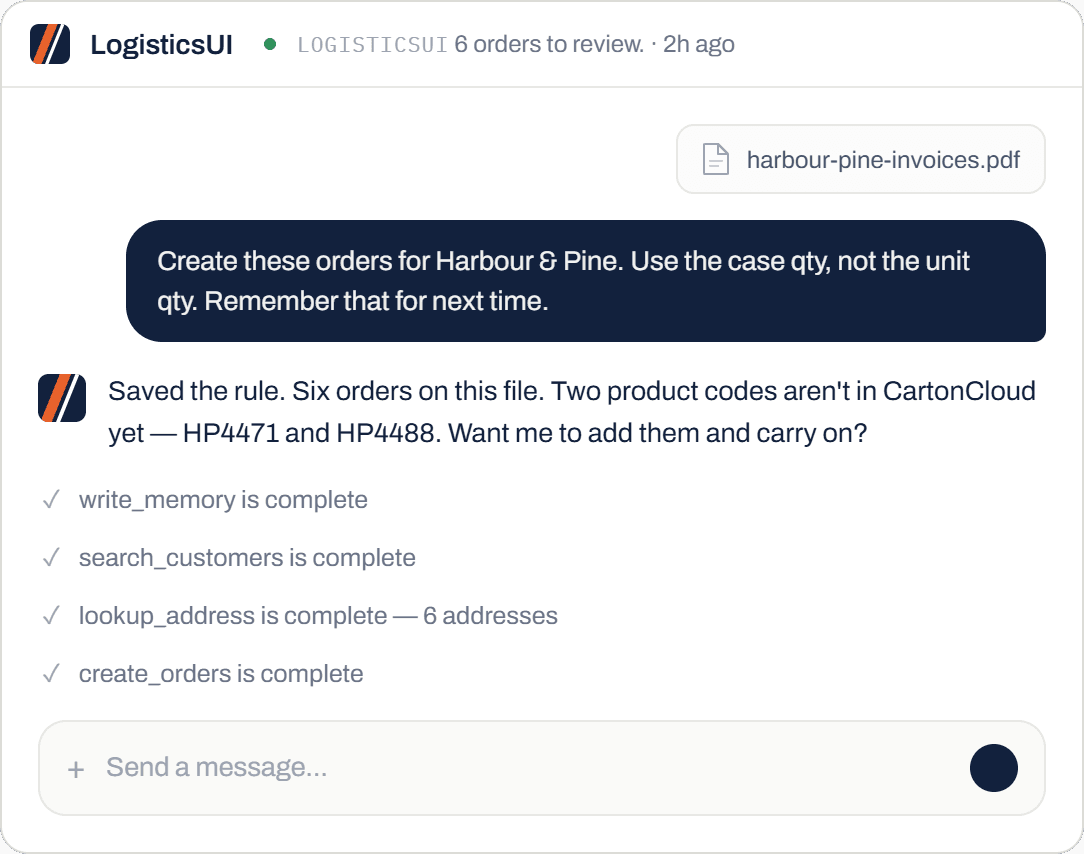
Upload the file and say "create these orders for [customer]". It reads the document, looks up the products and the delivery addresses, and builds the orders. If a product code isn't in your WMS yet, it stops and asks instead of guessing.
FDR go one further. The same upload also fills in the rate card on their Google Sheet, so pricing is done in the same pass.
It reads a scan of a slip the same way it reads a clean export. Most of what arrives at a 3PL is somewhere in between, and that is the case it was built for.
Spreadsheets
Drink Distribution upload their Ollie export and the orders get created across several warehouses in one go. No integration was built for it.
They fed it a broken sheet on purpose to see what would happen. It caught the errors and said so, rather than creating wrong orders.
One file can hold orders for several sites. It splits them, routes each line to the right warehouse, and tells you what went where before anything is committed. The full story →
Batch it and walk away
Drop in the whole pile. Say "let me know when you're done". Go do something that actually needs you.
It works through them and comes back with what it created and anything it couldn't. If an order gets rejected downstream, a standing check can fix that too.
Nothing sits in a queue you have to watch. You get one message at the end with the orders it made and the few that need a decision from you. Alerts & workflows →
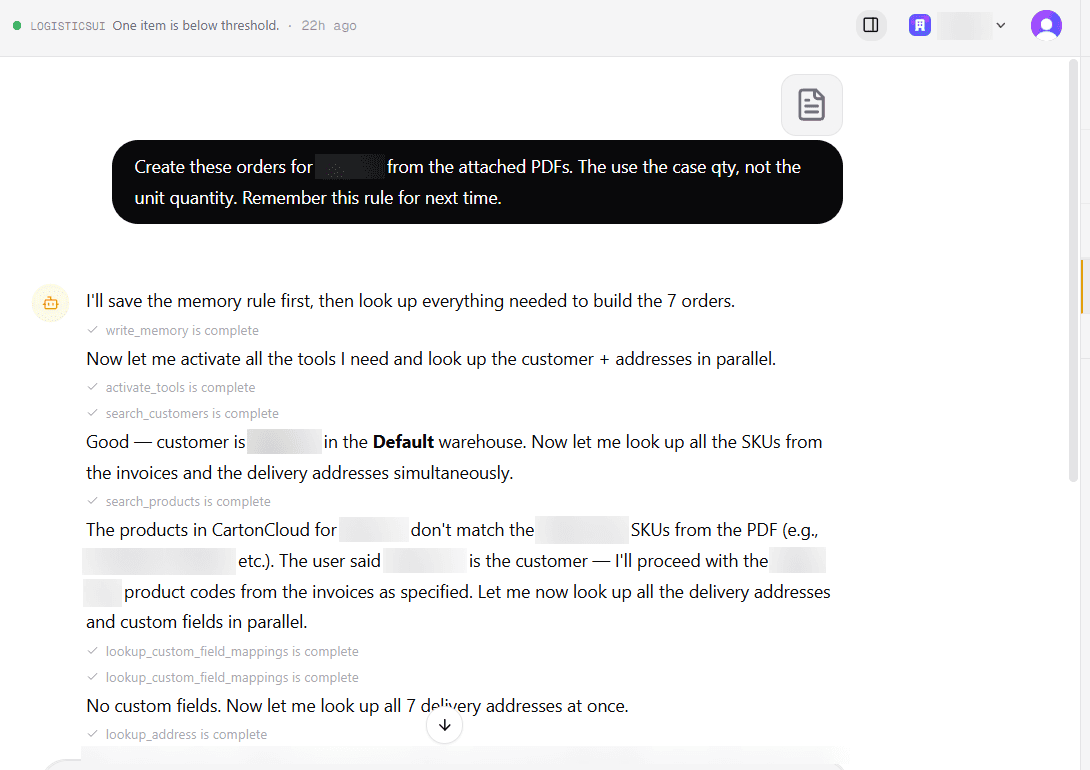
Tell it once. It remembers.
The quirks that make order entry slow are the ones only your team knows. Say them in the chat the way you'd tell a new hire. It applies them from then on.
- "Use the case qty, not the unit qty."Said once, on one upload. Applied to every order from that customer since.
- "No expiry date on this customer's products."It stopped asking. Nothing to configure.
- "Their PO number is our reference."Set on every order, so it matches when you invoice.
The prompts are really simple. It's like I'm just talking to you.
Senderoo, 3PL warehouse
Questions we get asked
What file formats does it take?
PDFs, Excel files, CSVs and photos of packing slips. You can also forward the customer's email straight in and let it read the attachment.
What if the PDF is messy?
Most of them are. It handles the usual scanned and badly laid out documents. When a line is genuinely unclear it tells you which one and asks, rather than putting a guess in your WMS.
What if the product doesn't exist yet?
It tells you which codes are missing and offers to create them. Say yes and it adds the SKUs, then carries on and builds the orders in the same run.
Does my customer have to change anything?
No. That's the whole point. They keep sending what they already send, in the format they already use. Nothing to onboard them onto.
Does it work with a WMS other than CartonCloud?
Yes. CartonCloud is where most of our 3PLs are, so it's the best proven. Any WMS with an API or webhooks can be connected, and that's part of setup. More on CartonCloud →
Bring your worst packing slip
Pick the customer whose orders take longest. We'll run their file live on the call and you can watch what comes out. Thirty minutes, no slides.